
SUPPORT MENTAL HEALTH.
REDUCE REPEAT OFFENSES.

NATIONALLY RECOGNIZED AND APPROVED BY COURTS & AGENCIES

Give clients the tools they need to manage stress, make better decisions, and avoid future system involvement.
Wellbeing 101 helps courts and agencies support behavior change, reduce recidivism, and improve overall wellbeing—while making it easy to refer clients, track completion, and receive documentation without adding to your workload.

SEE HOW YOUR COURT OR AGENCY CAN SUPPORT WELLBEING

Take a closer look at how Wellbeing 101 helps you refer clients, track completion, and receive documentation while reducing administrative burden.

MANAGING
MENTAL-HEALTH RELATED CASES CAN BE CHALLENGING

Courts and agencies face increasing pressure to:

  • manage growing caseloads
  • ensure compliance and documentation
  • support behavior change, not just completion
 
HOW IT WORKS
  1. Refer your client
  2. They complete Wellbeing 101 online
  3. You receive completion documentation
 
No cost to your court or agency. Clients pay directly. Adult and juvenile options available.

YOU’RE EXPECTED TO DO MORE—WITH LESS TIME AND FEWER RESOURCES

Are you constantly managing growing caseloads, handling time-consuming administrative tasks, and still seeing little impact on recidivism?

 You’re being asked to:

  • address underlying mental health challenges
  • ensure compliance and documentation
  • support real behavior change
 

Wellbeing 101 is an evidence-based, online intervention that helps clients:

  • understand stress and mental health
  • identify triggers and risk factors
  • build practical coping strategies
  • make better decisions in high-risk situations


In just a few steps, you can assign a course, monitor completion, and receive documentation without creating more work for your team.

WANT TO LEARN MORE BEFORE REFERRING CLIENTS?

Explore how Wellbeing 101 helps you improve outcomes without adding to your workload:
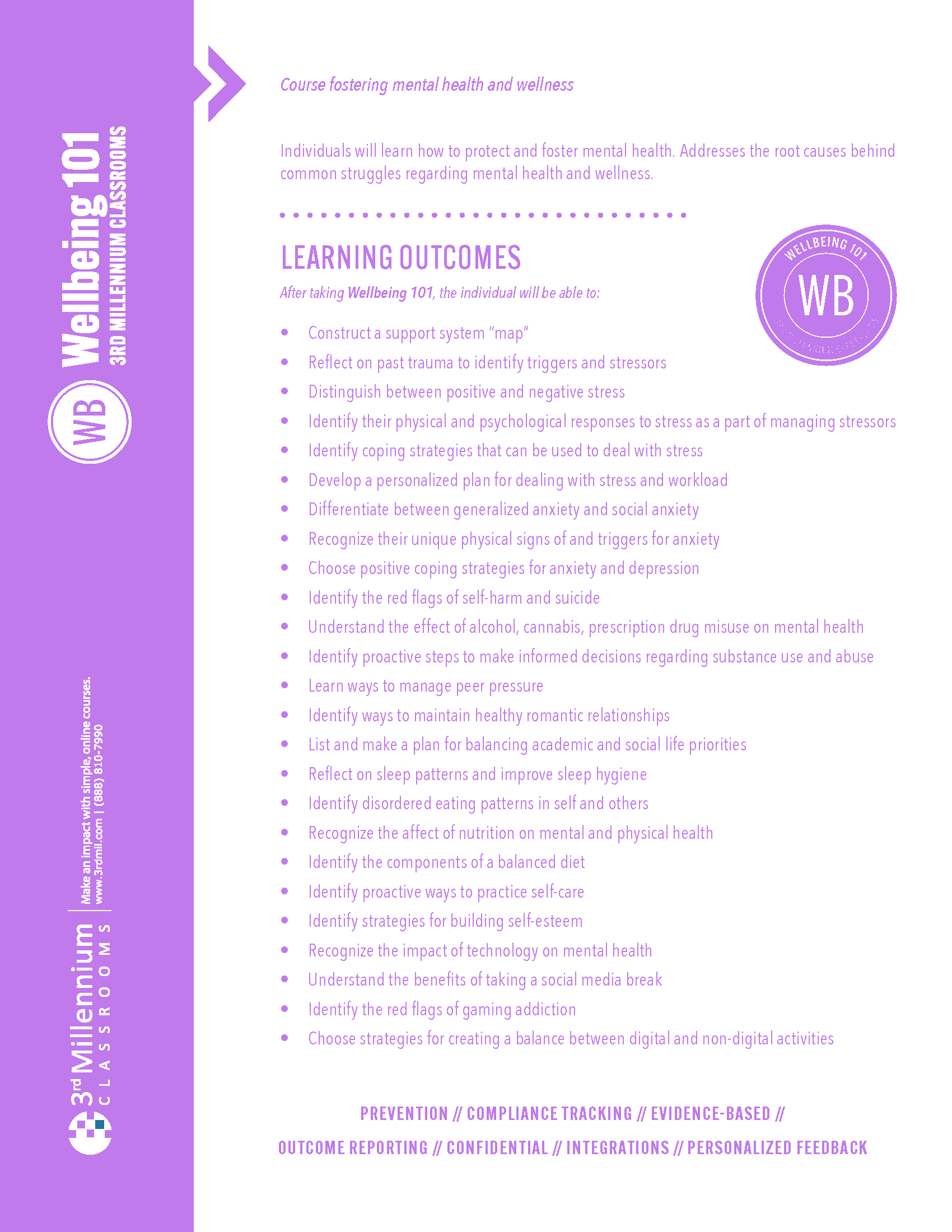
WHAT YOU’LL LEARN IN THIS WHITEPAPER
  • How stress and mental health challenges influence behavior and contribute to repeat offenses
  • The role of triggers, coping skills, and decision-making in everyday situations
  • How unmanaged stress impacts relationships, choices, and long-term outcomes
  • Practical strategies for building healthier habits and improving emotional wellbeing
  • How structured interventions support accountability, resilience, and lasting behavior change

frequently asked questions

Whether you’ve been working with us for a long time, or you’re new to 3rd Mil, we’ve put together a list of frequently asked questions:

All courses are web-based and registration is online. You can enroll using any internet connected device, including a smartphone.

The courses are 100% online and self-paced, which allows you to start and stop at any time to accommodate your schedule.

To get started, choose the specific offense from the drop-down menu as you enroll. Then, provide your state and other necessary information.

Common names for this course include:

  • Mental Health Education Course
  • Behavioral Health Course
  • Wellness Education Program
  • Personal Development Course
  • Life Skills Course
  • Decision-Making & Wellness Course
  •  

If you’re looking for a course with any of the titles listed above, you’ve come to the right place! Wellbeing 101 is the course for your client.

You can get assistance by emailing help@3rdmil.com or calling 888-810-7990. Our Help Desk Staff is available 7 days a week from 8am-9pm CST.

To reset course login, there is a “Forgot Password” option on the left side of our website.

After the course is completed, the completion certificate can be submitted by the learner or sent directly to your court or agency staff.

Conflict Wise takes about 3 to 4 hours to complete, and learners can log in and out as needed.

When you come across a page written in a language you don’t understand, you can use Chrome to translate the page:

  • On your computer, open Chrome.
  • Go to a webpage written in another language.
  • In the top right corner, click on the three vertical dots
  • In the menu, click “Translate”
  • At the top of the screen in the new menu, click the three vertical dots
  • Click “Choose Another Language…”
  • Select your language and click “Translate”
  • The webpage should now be translated into your desired language

Ready to start making referrals?

Get everything you need to begin making referrals, including clear instructions and support—so you can start right away without adding to your workload.